Choosing a keyboard used to be simple; you bought the one that came with the computer. Today, it is a strategic decision that impacts your aim, your desk aesthetics, and most importantly, your long-term physical health. Today, we are doing a keyboard size comparison in this article.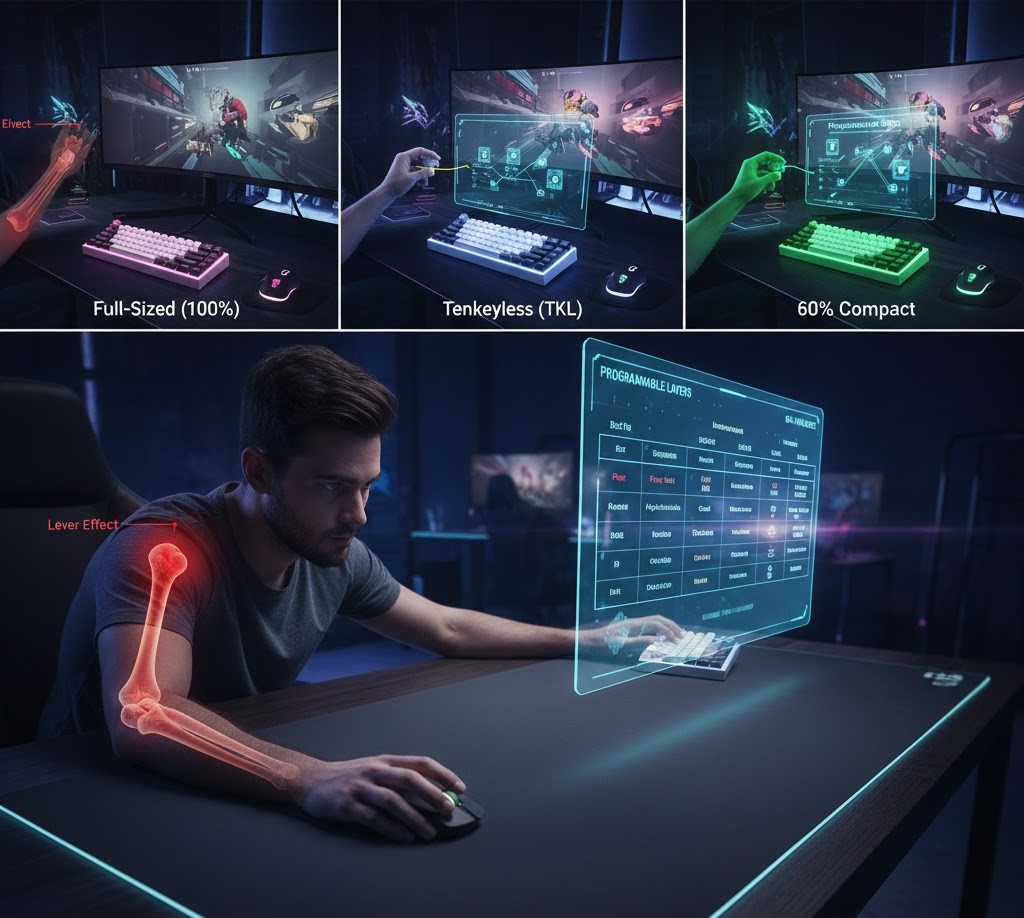
For gamers, the debate between Full-Sized, Tenkeyless (TKL), and 60% form factors isn’t just about losing keys; it’s about gaining space. This article explores the trade-offs of each size, with a specific focus on the ergonomic “lever effect” of your mouse arm and how to master the small-form-factor lifestyle without losing functionality.
The Full-Sized Standard: The Office Anchor
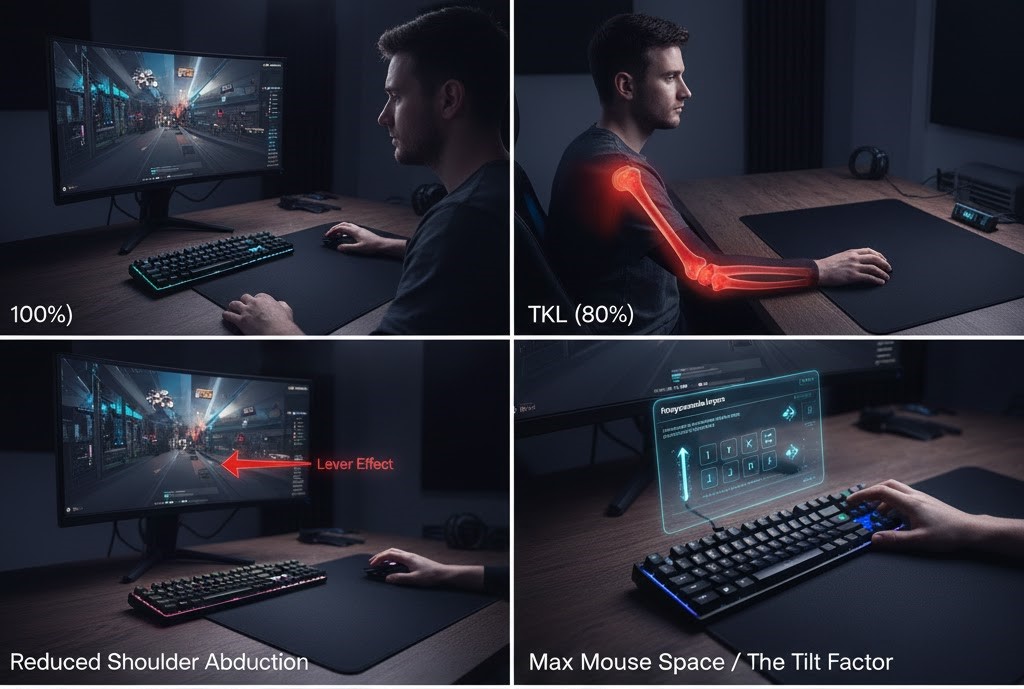
The 100% keyboard is what most of us grew up with. It has everything: a number pad for data entry, a dedicated function row, and navigation keys (Home, End, PgUp).
The Perspective: If you are a student doing engineering homework or an accountant by day and a gamer by night, the Numpad is likely non-negotiable.
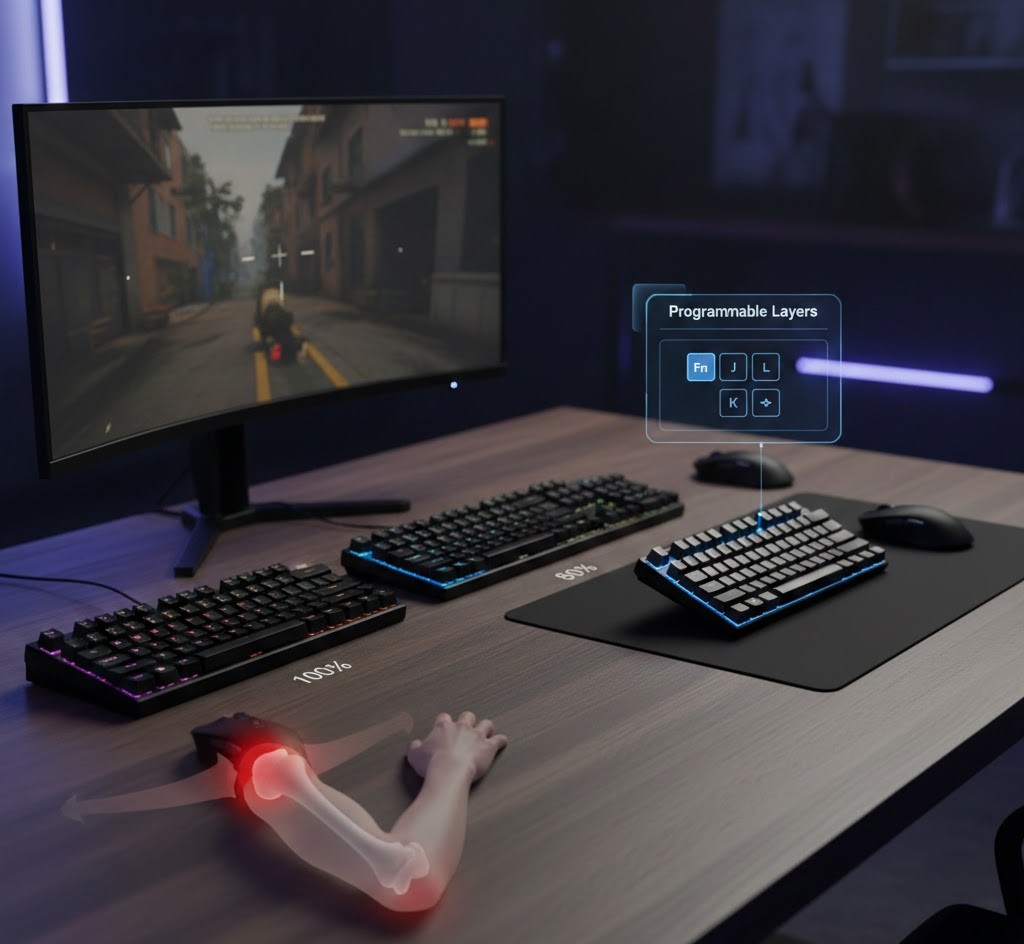
The Gamer’s Flaw: The Numpad is a relic for gaming. It sits on the right side of the board, pushing your mouse hand further away from your body. To center the “typing” part of the keyboard (G, H, J keys) in front of your chest, you have to push the mouse so far to the right that your arm flares out. This is the enemy of ergonomics.
The Tenkeyless (TKL): The Golden Mean
Take a hacksaw to the Numpad, and you get the TKL (80%) keyboard. This is widely considered the standard for PC gaming setups today.
The Perspective: You keep your arrow keys and the F-row (crucial for games like StarCraft or World of Warcraft), but you save about 3 to 4 inches of desk width.
The Benefit: Those 4 inches are pure gold. They allow you to bring your mouse closer to your center. This may sound minor, but it significantly reduces the “lever arm” on your shoulder joint, allowing for longer play sessions with less neck and trap pain.
The 60% Compact
The 60% keyboard removes the Numpad, the arrow keys, the navigation cluster, and the entire Function row (F1-F12). You are left with just the alphanumeric block.
The Perspective: This is the specialist’s tool. It is favored by FPS pros (games like Counter-Strike, Valorant, COD) who play on very low mouse sensitivity (DPI).
The “Tilt” Factor: Because the board is so small, many pros tilt it 45 degrees or even 90 degrees sideways. This opens up massive amounts of mousepad real estate, allowing for huge, sweeping arm movements without ever banging the mouse against the side of the keyboard.
The Ergonomics of Mouse Proximity
The single biggest ergonomic benefit of a smaller keyboard is reducing shoulder abduction.
Shoulder Abduction is the medical term for lifting your arm away from the side of your body.
The Lever Effect: Imagine holding a heavy book against your chest. It’s easy. Now hold that same book with your arm extended straight out to the side. It feels five times heavier.
The Gaming Reality: When you use a Full-Sized keyboard, the Numpad forces your mouse hand to the right, creating a constant, low-level abduction. Your rotator cuff and trapezius muscles have to stay permanently tensed just to hold your arm in that position.
The Fix: Switching to a TKL or 60% allows you to pull the mouse in line with your shoulder. This “neutral” position lets your skeletal structure support your arm weight rather than your muscles, drastically increasing your stamina and reducing the risk of repetitive strain injury (RSI).
Programmable Layers (Living with 60%)
People often fear 60% keyboards because they ask, “How do I use arrow keys?” or “How do I Alt+F4?” The answer lies in Programmable Layers, which can actually make you faster than a full-sized user.
A 60% keyboard uses a “Function” (Fn) key to shift layers, much like holding “Shift” gives you capital letters.
1. The “Home Row” Arrows
On a standard keyboard, to use the arrow keys, you have to lift your right hand off the mouse or the typing position, move it to the arrows, press them, and move back. On a smart 60% setup, you map the arrow keys to FN + I/J/K/L (or FN + A/S/D/F).
The Benefit: You never have to leave the home row. You hold the Fn key with your pinky, and suddenly your letter keys become navigation keys. This is significantly faster for coding and writing once you build the muscle memory.
2. Mod-Tap (The Magic Key)
Advanced small keyboards (using software like QMK or VIA) allow for “Mod-Tap” keys.
How it works: You can set your Right Shift key to behave differently based on how you press it.
Tap it: It acts as the “Up Arrow.”
Hold it: It acts as “Right Shift.”
This lets you squeeze dedicated arrow keys into the corner of a 60% board without actually adding extra physical keys.
3. Gamer Profiles
You can set a “Gaming Layer” that activates when you launch a game. In this layer, the Windows key is disabled (so you don’t minimize your game), and the Caps Lock key can be repurposed as a “Push-to-Talk” button or an extra macro key, giving you easy access to complex commands without stretching your fingers.
Summary: Which is Right for You?
Final Verdict
Unless you are inputting numbers into a spreadsheet for a living, ditch the Full-Sized keyboard. The ergonomic benefits of bringing your mouse closer to your body are undeniable. The TKL is the safest bet for most people, but if you are willing to spend a week learning “Layers,” the 60% offers a level of comfort and desk freedom that is hard to give up once you experience it.
Read Also: The 8K Polling Rate Trap: Why Your “Fast” Keyboard Might Actually Be Slow
About The Author